Why Cloud-Based Computing Services Are the Game-Changer for Businesses in 2026
Naapbooks Insights • Cloud Computing • 11 min read
Cloud computing has moved from "nice to have" to "must have." In 2026, most enterprises run on cloud infrastructure because it cuts costs, strengthens security, keeps businesses running through outages, and gives even small teams access to enterprise-grade AI. Companies that delay migration risk falling behind on speed, innovation, and customer experience.
Why Cloud Adoption Is No Longer Optional
A few years ago, moving to the cloud was a strategic choice. In 2026, it's closer to a baseline requirement for staying competitive.
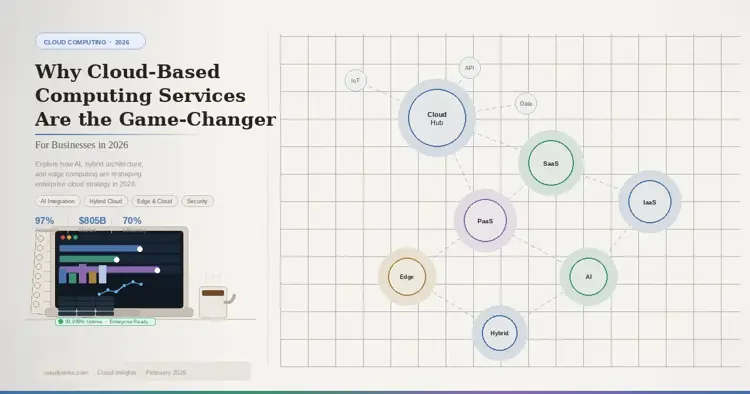
The shift shows up in the numbers. Enterprise cloud adoption has climbed past 97%, and global cloud spending now tops $805 billion a year. Businesses running on cloud infrastructure tend to out-innovate and out-execute competitors still tied to on-premise systems.
The real question companies face today isn't "should we move to the cloud?" It's "how fast can we finish the move?"
Key Takeaways
- Cloud adoption is now standard practice for competitive businesses, not an experiment.
- Three core service models SaaS, PaaS, and IaaS cover different levels of control and responsibility.
- Hybrid and multi-cloud strategies let businesses balance cost, performance, security, and vendor independence.
- Cloud shifts IT spending from large upfront costs to flexible, usage-based spending.
- Security, compliance, and disaster recovery have matured into strengths of cloud computing, not weaknesses.
- Sustainability is a growing reason companies move to the cloud, not just a side benefit.
- AI is now built into cloud platforms by default, giving smaller businesses access to tools once reserved for tech giants.
From Data Centers to Cloud-Native
The On-Premise Era
Ten years ago, most businesses ran their own physical servers in on-site or rented data centers. That meant:
- Large upfront hardware costs
- Ongoing maintenance and repair work
- Limited ability to scale up quickly
- IT teams spending more time on hardware upkeep than on strategy
The Cloud-Native Shift
Today's businesses operate very differently. Instead of provisioning servers over weeks or months, teams can spin up global infrastructure in minutes. This shift is what allows lean teams to compete with much larger organizations.
Cloud Service Models Explained
| Model | What It Means | Example Tools | Best For |
|---|---|---|---|
| SaaS (Software as a Service) | Fully built, ready-to-use applications | Microsoft 365, Salesforce | Businesses that want software without managing infrastructure |
| PaaS (Platform as a Service) | A development platform for building and deploying apps | Google App Engine | Developers who want to build fast without managing servers |
| IaaS (Infrastructure as a Service) | Raw virtual computing resources (servers, storage, networking) | AWS, Azure, Google Cloud | Businesses that need maximum control and customization |
The right model depends on how much control you need. SaaS needs the least technical management; IaaS gives you the most flexibility but requires more in-house expertise.
Public Cloud, Private Cloud, Hybrid Cloud, and Multi-Cloud What's the Difference?
Businesses today rarely pick just one architecture. Instead, they combine models to fit different workloads.
- Public cloud: Shared infrastructure from a provider. Lower cost, high scalability, less customization.
- Private cloud: Dedicated infrastructure for one organization. Higher cost, stronger security and compliance control.
- Hybrid cloud: A mix of on-premises systems and public cloud resources, letting businesses place each workload where it performs best.
- Multi-cloud: Using more than one cloud provider at once, to reduce dependency on a single vendor and improve resilience.
| Architecture | Cost | Control | Best Use Case |
|---|---|---|---|
| Public Cloud | Lowest | Lowest | Startups, variable workloads |
| Private Cloud | Highest | Highest | Regulated industries, sensitive data |
| Hybrid Cloud | Moderate | Balanced | Businesses with mixed compliance needs |
| Multi-Cloud | Varies | High (via redundancy) | Enterprises avoiding vendor lock-in |
How Cloud Computing Transforms Business Operations
1. Cost Efficiency and Scalability
Cloud computing replaces large upfront hardware spending with a pay-as-you-go model. That shift changes how IT budgets work.
- Converting capital expenses into predictable operating expenses
- Removing the cost of maintaining and replacing physical infrastructure
- Lowering energy and data center overhead
- Freeing IT staff to focus on strategic projects instead of hardware upkeep
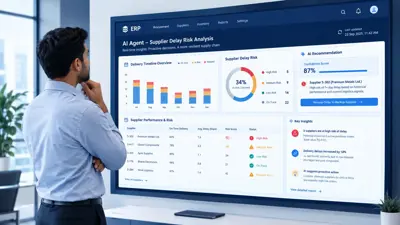
AI-powered cloud cost management tools can now automatically optimize resource use and cut spending by an estimated 30–40% without hurting performance.
Common mistake: Businesses often migrate to the cloud but keep the same "always-on" server habits from their on-premise days, which erases most of the potential savings. Right-sizing and auto-scaling only pay off if they're actually configured and monitored.
2. Stronger Security and Compliance
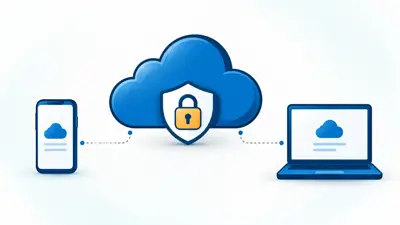
Security used to be the top reason businesses hesitated to adopt cloud computing. That's largely reversed major providers now invest heavily in protection.
- Zero-trust architecture with continuous identity verification
- AI-driven threat detection
- Encryption designed to resist future decryption methods, including emerging quantum-computing threats
- Automated compliance monitoring
Compliance certifications commonly maintained by major providers include GDPR, HIPAA, SOC 2, and ISO 27001, among others.
Expert tip: Compliance certifications describe what a provider is capable of they don't automatically make your specific setup compliant. You still need to configure access controls, encryption, and data residency settings correctly on your end.
3. Business Continuity and Disaster Recovery
Outages, cyberattacks, and hardware failures can shut a business down fast. Cloud-based disaster recovery is designed to prevent that.
- Continuous data replication across multiple regions
- Fast recovery time objectives for critical systems
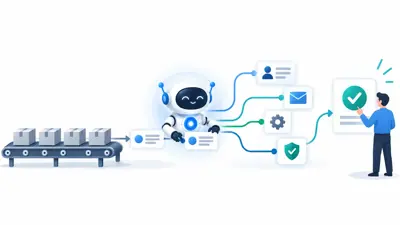
- Automated failover with minimal manual intervention
- Predictive risk monitoring to catch issues early
Warning: Even with strong provider-side redundancy, disaster recovery is a shared responsibility. A cloud provider can protect its infrastructure, but you're still responsible for backup policies, access permissions, and testing your own recovery plan regularly.
4. Sustainability and Environmental Impact
Cloud migration is increasingly framed as an environmental decision, not just a financial one. Consolidating workloads onto shared, highly optimized infrastructure tends to use energy more efficiently than many individual on-premise data centers.
- Shared infrastructure improves overall energy efficiency
- Large cloud facilities are often built and operated with efficiency benchmarks in mind
- Many providers are shifting toward renewable energy sources for their data centers
Businesses pursuing sustainability goals often find that cloud migration supports environmental targets while also reducing cost a rare case where both goals point the same direction.
Real-World Examples: Businesses Built on the Cloud
- Netflix built its streaming infrastructure entirely on AWS, allowing it to serve a global subscriber base without owning physical servers.
- Zoom scaled its infrastructure dramatically during a period of surging demand, growing from a much smaller daily user base to hundreds of millions of daily participants within months a pace that would have been extremely difficult with traditional, self-managed infrastructure.
What's Next for Cloud Computing
AI Becomes a Built-In Layer, Not an Add-On
By 2026, AI capabilities are increasingly built directly into cloud platforms rather than sold as separate products. This includes natural language processing, predictive analytics, and automated decision-making tools.
This matters most for smaller businesses: pre-trained models and simplified deployment tools are lowering the barrier to using AI that was previously only practical for large, well-resourced companies.
Edge Computing and Cloud Are Converging
The line between edge computing (processing data close to where it's generated) and centralized cloud infrastructure is blurring.
- Edge handles time-sensitive processing think IoT sensors, autonomous vehicles, and AR/VR.
- Cloud handles large-scale analytics, AI model training, and long-term storage.
- Combined, they let businesses get real-time responsiveness and cloud-scale computing power.
Industries like healthcare, manufacturing, and retail are early adopters of this hybrid approach.
Quantum Computing Enters the Cloud
Cloud-based access to quantum computing resources from providers such as IBM, AWS, Azure, and Google is opening the door to new kinds of problem-solving, including complex simulations in drug discovery, advanced financial risk modeling, and next-generation cryptography.
Note: Quantum computing via the cloud is still an emerging capability for most businesses. Treat it as something to monitor and experiment with cautiously, not something to build a core strategy around yet.
Pros and Cons of Moving to the Cloud
| Pros | Cons |
|---|---|
| Lower upfront infrastructure costs | Ongoing subscription costs can add up over time |
| Fast to scale up or down | Requires internet reliability |
| Strong built-in security tooling | Shared responsibility means you still manage some risk |
| Access to AI and advanced tools | Migration itself can be complex and resource-intensive |
| Supports remote and global teams | Vendor lock-in risk without a multi-cloud strategy |
Common Mistakes Businesses Make When Moving to the Cloud
- Migrating without a cost strategy "lifting and shifting" old habits into the cloud instead of redesigning for cloud-native efficiency.
- Assuming the provider handles all security compliance and data protection are a shared responsibility.
- Skipping a disaster recovery test having a plan on paper isn't the same as knowing it works.
- Choosing one provider without a backup plan creating unnecessary vendor lock-in risk.
- Underestimating staff training needs new tools require new skills, not just new infrastructure.
Checklist: Is Your Business Ready to Move to the Cloud?
- You've identified which workloads need public vs. private cloud
- You have a documented disaster recovery and backup plan
- Your compliance requirements (GDPR, HIPAA, SOC 2, etc.) are mapped to provider certifications
- You've budgeted for both migration costs and ongoing usage costs
- Your team has a plan for training on new tools
- You've considered a multi-cloud or hybrid approach to avoid vendor lock-in
Conclusion
Cloud computing in 2026 isn't just about cutting IT costs anymore it's the foundation businesses build AI adoption, security, resilience, and growth on top of. Companies that commit to a clear cloud strategy tend to move faster, recover from disruptions more easily, and adopt new technology sooner than competitors still running legacy infrastructure.
The businesses gaining ground right now aren't necessarily the ones with the biggest budgets they're the ones that moved early and built a deliberate, well-governed cloud strategy instead of a rushed one.